Home Blog Page 10

Cypress is not Selenium: A Brief Comparison Between Two Popular UI Testing Tools

0
Selenium vs Cypress

When it comes to automated testing of web applications, two of the most popular tools are Cypress and Selenium. Both tools have their own strengths and weaknesses, and the choice between them will depend on the specific needs of your project. In this blog post, we’ll take a closer look at both Cypress and Selenium and compare their features, advantages, and disadvantages.

Selenium is a widely used open-source tool that supports multiple programming languages such as Java, C#, Python, and JavaScript. It can also be integrated with various test frameworks and supports a wide range of browsers. Selenium is a powerful tool that can be used for both functional and regression testing. It has a large community and plenty of resources available for troubleshooting and support. However, Selenium can be complex to set up and maintain, and it can be difficult to debug test failures.

Cypress, on the other hand, is a newer tool that is specifically designed for end-to-end testing of web applications. It is also open-source and supports JavaScript. Cypress has some advantages over Selenium in terms of its ease of use and debugging capabilities. Cypress runs tests directly in the browser, which can make it faster and more reliable than Selenium. Cypress also provides a built-in test runner, which allows you to see the test results in real-time. Additionally, Cypress offers an intuitive and powerful browser-based debugging tool that makes it easy to troubleshoot test failures.

One of the main advantages of Cypress is its simplicity. Cypress tests are written in JavaScript, which makes it easy to learn and use. Cypress also has a simple and streamlined API, which makes it easy to write and maintain tests. Selenium, on the other hand, can be quite complex, and it can take some time to master.

Another advantage of Cypress is its speed. Cypress runs tests directly in the browser, which can make tests run faster than Selenium. This is because Cypress does not need to communicate with the browser through a separate driver, which can slow down tests.

Cypress also has a powerful assertion library that makes it easy to write test assertions. Cypress assertions are written in Chai, which is a popular assertion library for JavaScript. Selenium, on the other hand, requires you to use a separate assertion library, which can be more difficult to use.

However, Cypress currently has a smaller community and fewer resources available for troubleshooting and support. Furthermore, it’s not as flexible as Selenium. Cypress can only be used for testing web applications and it only supports JavaScript, whereas Selenium supports multiple programming languages and can be used for testing a wide range of applications.

In conclusion, both Cypress and Selenium are powerful tools for automated testing of web applications. The choice between them will depend on the specific needs of your project. If you’re looking for a simple and easy-to-use tool that is specifically designed for end-to-end testing of web applications, Cypress may be the best choice. However, if you need a more powerful and flexible tool that supports multiple programming languages and can be used for testing a wide range of applications, Selenium may be a better choice.

Linting: Static Code Analysis

0

Static code analysis is the process of analyzing source code without executing it. The goal is to identify potential issues, such as bugs, security vulnerabilities, and code smells. It is important because it can help identify and prevent potential problems early in the development process, before the code is deployed. This can save time and money by reducing the need for testing and fixing issues after deployment. Additionally, it can help ensure that the code is more secure, reliable, and maintainable. Some common tools used for static code analysis include linting tools and static analysis tools.

Advantages of static code analysis

There are several advantages to using static code analysis, including:

  1. Early detection of bugs and security vulnerabilities: By analyzing code before it is deployed, static code analysis can help identify and prevent potential issues early on, reducing the need for testing and fixing issues after deployment.
  2. Improved code quality: Static code analysis can help developers write more reliable, secure, and maintainable code by identifying issues such as poor code structure, poor performance, and potential security vulnerabilities.
  3. Increased productivity: By automating the process of analyzing code, static code analysis can save developers time and effort that would otherwise be spent manually reviewing code.
  4. Compliance with coding standards: Many static code analysis tools can be configured to check for compliance with specific coding standards and best practices, helping teams to ensure that their code is consistent and conforms to industry standards.
  5. Cost-effective: Using static code analysis can help to identify and prevent issues early in the development process, reducing the need for costly testing and remediation after deployment.
  6. Scalability: Static analysis can be performed on the entire codebase, regardless of the size or complexity, making it a suitable solution for large and complex projects.

Disadvantages of static code analysis

While static code analysis has many advantages, there are also some potential drawbacks or cons to consider:

  1. False positives: Some static code analysis tools may generate a high number of false positives, which can make it difficult for developers to identify and fix the real issues. This can lead to wasted time and effort.
  2. Limited ability to detect runtime issues: Static code analysis can only identify potential issues based on the code itself, and cannot detect issues that may arise during runtime, such as race conditions or memory leaks.
  3. Limited context: Some static code analysis tools may not have access to all of the context necessary to fully understand the code and identify all potential issues.
  4. Limited language support: Some static code analysis tools only support a limited number of programming languages, which can be a problem if your codebase is written in a language that is not supported.
  5. High maintenance: Static code analysis tools require a certain level of maintenance, such as regular updates, or configuration to comply with the development teams standard, which could lead to an additional workload.
  6. Can’t replace testing: Static code analysis is a useful tool, but it should not be used as a replacement for testing, which is still necessary to ensure that the code is working correctly in all possible scenarios.

What is Linter and what is the Linting process

Linting is a process of checking source code for potential errors, bugs, and stylistic inconsistencies. It is typically performed by a linter, which is a program that scans the code and reports any issues that it finds. Linting can be used to ensure that code follows a consistent style and adheres to best practices, and can help to catch potential bugs before they are introduced into the codebase. Linting is often integrated into development tools and integrated development environments (IDEs) to make it easy for developers to check their code as they write it.

Famous Linting Tools for famous programming languages

Linting tools are a type of static code analysis tool that can be used to check for adherence to coding standards and best practices. Here are some popular linting tools for a few common programming languages:

  • JavaScript: ESLint, JSLint, JSHint
  • Python: Pylint, Flake8, Pyflakes
  • Java: Checkstyle, PMD, FindBugs
  • C/C++: Clang-tidy, Cppcheck
  • Go: Golint, gofmt
  • Ruby: Rubocop, Reek
  • PHP: PHP_CodeSniffer, PHPMD

The choice of which one to use depends on your specific needs and preferences.

Best Python Interactive Shells

0

Python a high-level, general-purpose, structured, powerful, open-source programming language that is used for a wide variety of programming tasks created by Guido van Rossum in 1991.

Python comes with its own shell which is not an advanced and user-friendly one. The default shell for the Python interpreter has significant limitations which makes it hard to be used for normal users. As an example the regular Python interactive interpreter does not support Auto-completing, syntax highlighting or auto-indenting, etc.

Luckily there is some enhanced interactive python shell available to be used for more comfort. Here I present you 4 popular interactive shells for Python: IPython, bpython, DreamPie, and Spyder:

1. IPython

IPython is an enhanced interactive Python shell. IPython can be used as a replacement for the standard Python shell, or it can be used as a complete working environment for scientific computing when paired with the standard Python scientific and numerical tools. 

Main Features:

  • Easy to use, high performance tools for parallel computing
  • Syntax highlighting
  • Extensive configuration system
  • Input history and Caching output results
  • Comprehensive object introspection, allowing access to docstrings, source code, and other objects accessible to the interpreter
  • Extendable tab completion for variables, keywords, functions, and filenames
  • magic commands (denoted by a prepended %) to control the environment and interact with the OS
  • Session logging and reload
  • verbose and colored traceback reports
  • Integrated access to debugger and profiler
  • Multi-line editing

More info:

2. bpython

bpython is a fancy interface to the Python interpreter for Linux, BSD, OS X and Windows. bpython was created for developers who want more functionality and less learning effort on IPython.

Main features:

  • In-line syntax highlighting
  • Auto-complete suggestions
  • Auto-indentation
  • Readline-like autocomplete with suggestions displayed as you type
  • Expected parameter list for any Python function
  • “Rewind” function to pop the last line of code from memory and re-evaluate
  • Send the code you’ve entered off to a pastebin
  • Save the code you’ve entered to a file

More info:

3. DreamPie

DreamPie is a Python shell which is designed to be reliable and fun. DreamPie can use just about any Python interpreter (Jython, IronPython, PyPy).

Main Features:

  • Splitting the interactive shell into a history box and a code box. Code box is like a text editor, allowing you to write as much code as desired before executing it.
  • A copy code only command that copies only the code desired, allowing it to be pasted into a file while retaining indentation.
  • Auto attribute and filename completion.
  • Code introspection, displaying function arguments and documentation.
  • The session history can be saved to an HTML file for future reference
  • Automatic addition of parentheses and quotes after functions and methods.
  • Cross-platform support.
  • Automatically displays function arguments and documentation
  • Keeps your recent results in the result history, for later use
  • Can automatically fold long outputs, so you can concentrate on what’s important
  • Automatically adds parentheses and optionally quotes when you press space after functions and methods.

More info:

4. Spyder

Spyder (Scientific PYthon Development EnviRonment) is a powerful interactive development environment for the Python language with advanced editing, interactive testing, debugging and introspection features and a numerical computing environment thanks to the support of IPython (enhanced interactive Python interpreter) and popular Python libraries such as NumPy (linear algebra), SciPy (signal and image processing) or matplotlib (interactive 2D/3D plotting).

Main features:

  • Within Spyder, the IPython console is the default Python interpreter
  • code in the editor can be fully or partially be executed in this buffer.
  • The editor supports automatic checking for Python errors using pyflakes, and
  • the editor warns (if desired) if the code formatting deviates from the PEP8 style guide.
  • An object explorer shows documentation for functions, methods etc on the fly and a
  • variable explorer displays names, size and values for numerical variables.

More info:

Sources:

https://ipython.org

https://bpython-interpreter.org

http://www.dreampie.org/index.html

https://www.spyder-ide.org

btw i use Manjaro!

5

We all know Linux as a highly customizable operating system, but among all of those Linux distros out there there is one special one: Arch. 

Unlike many other Linux distributions, Arch is not based on a particular one and there is no corporate or organization behind it; it’s all developed, maintained and support by its community. When you are installing Arch Linux, you are building your own machine. A Machine which is unique to its kind and different in installed packages and performance in comparison with similar machines/hardware configuration.  

Installing Arch Linux is not that hard as the jokes or memes by geeks and Linux nerds pretend, you just need to follow the official Arch installation guide on ArchWiki or many other tutorials like these ones: +, + and +

The most time-consuming part is installing the system and user required packages and then configuring and setting them up to make them work correctly as you expect.

Now if you want to enjoy all of the power and performance of Arch Linux and also let everyone in the world that ‘btw i use Arch’!, there is good news for you: Manjaro

Manjaro is one of the few Linux distros based on Arch so it uses the amazing power of Arch with ease of use and almost no configuration time: Just install and use it! 

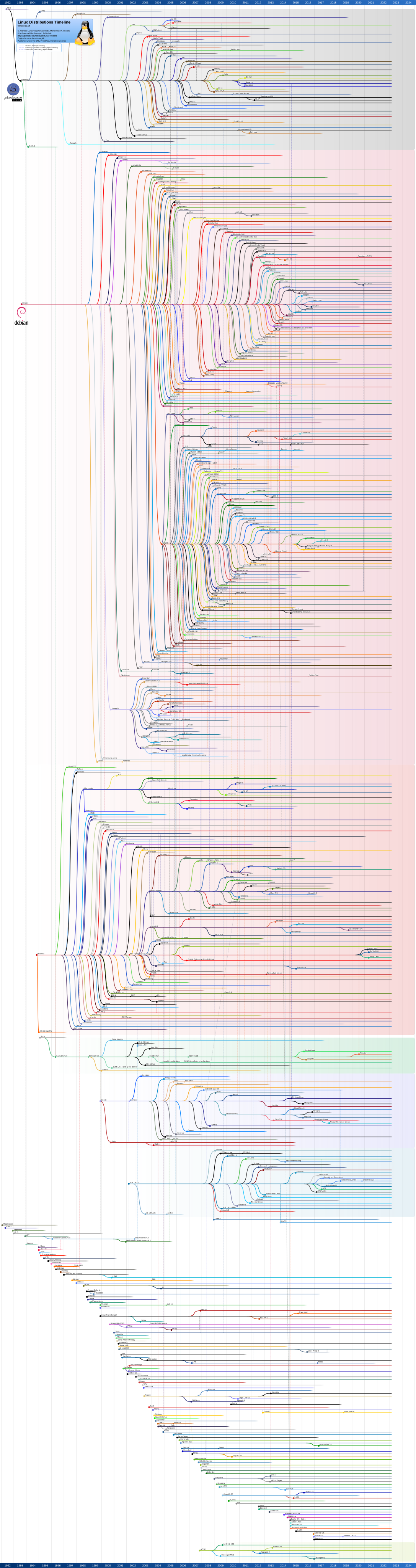
Here you can see all variety of Arch flavored distros (see original here)

Advantage of using Manjaro:

  1. You can safely claim “btw i use Arch” and you are not lying (not this time at least!)
  2. You can use AUR (Arch User Repository) one of the biggest software package repositories with over 54000 of free and open-source software which makes you a powerful king! for the rest of your life. (in software territory at least!)
  3. You can use the latest version of every software and more importantly the Linux kernel itself, the moment they release. Usually with other distros like Ubuntu, Redhat, etc you need to wait for the official releases which make you wait for weeks. Months or years! With Arch/Manjaro you always have updates, not daily ones but even sometimes hourly!
  4. Switching kernels is easy. Using a simple GUI tool, you can easily manage (download, remove and run) released and even unreleased (beta/experimental) kernels.
  5. Great community: Not only you can use fabulous and great community of Arch, but you can also use well organized and useful Manjaro’s specific forum, Wiki, docs, manuals, etc.
  6. Supportive Hardware: Arch is (almost) always build with the latest version of Linux kernel; so you can expect a high support for (almost) any hardware you got
  7. No PPA no Cry!: A PPA refers to a repo which sometimes got only one or few programs to install or update. Installation of any software that is unavailable in the authorized PPA repos, you need to connect a new PPA to your system through the Terminal. With Arch and Manjaro you don’t need to add/manage PPAs anymore
  8. Stability on full system update: Although after many years of using Arch I had just a few experiences on crashing my system, I never saw the same problem when doing a full system update with Manjaro. So be my guess to do ‘sudo pacman -Suy’ every day!
  9. Appreciable Desktop Environments: Official Manjaro releases come with Gnome, KDE and Xfce as default desktops. however, you can always install other flavors like Budgie, Deepin, Mate, etc. btw my favorite is Xfce; what is yours?!
  10. Surprise me!: Yesss!, install Manajaro and tell me how did you like it! Find downloadable Manjaro iso here: https://manjaro.org/get-manjaro

13 Reasons Why I love Pytest

0

During many years of working as Python developer and tester, I have seen many ways to deal with testing. Having many choices such as ‘nose’ and ‘unittest’ may confuse many of developers what to choose. For me, the decision was always easy: Pytest!

Pytest makes test suites more readable, more flexible and compact to the language itself.  Pytest helps us write tests faster as well as keep them maintainable. In addition to these, we can use many fixtures and plugins which Pytest community provided.

Pytest Pros and Advantages

1. Easy to read

Yes, just like this!

2. Easy to write !

See above!!

3. Tests discovery

Pytest can automatically finds tests we’ve written, runs the tests, and reports the results. It has a library of goodies that we can use in our tests to help us test more effectively.

4. CI/CD Integration

Pytest integrates easily with other tools like continuous integration and web automation.

5. Compact test suites

Pytest introduced the concept that Python tests should be plain Python functions instead of forcing developers to include their tests inside large test classes.

6. Detailed and useful failure information

Pytest rewrites tests in a way that it can store intermediate values. As a result in case of failing it provides detailed explanation about what has been asserted and what have failed.

7. Fixtures are simple and easy to use

A fixture is a function that returns a value and to use a fixture you just have to add an argument to your test function. It is also possible to parametrize fixtures and every test that uses it will run with all values of parameters. This will eliminate code rewrite.

8. Many plugins are available to serve us!

Pytest can easily be extended with several hooks, and the same team develops a number of very useful plugins.

9. Tests parametrize

We can parametrize any test and cover all uses of a unit without any code duplication.

10. Test discovery by file-path

We just need to indicate the path which includes your tests, and Pytest will collect them

11. Selective

We can choose what to run, what to skip and what to execute in case of some conditions

12. Community support

It is being actively developed and maintained by a passionate and growing community.

13. Works for old-fashions too!

Pytest is installed separately from your Python version, so you can use the same latest version of pytest on legacy Python 2 (2.6+) and Python 3 (3.3+).

Load Testing: JMeter vs Locust

0

Apache JMeter and Locust are two of the most well-known and popular load testing tools used by testers and developers in many IT (or maybe non-IT) companies. Since I got some years of experiences with JMeter as well as a couple of months with Locust I decided to compare them based on some particular criteria. However, I am not trying to announce a winner here but in the end, you may guess I love which one of these two!

What is load testing anyways?
The main goal of load testing is to determine a system’s performance under real-life load conditions. This testing helps determine how our application behaves when lots of users at the same time.

Load testings main goal:
• The maximum operating capacity of an application
• Determine whether the current infrastructure is sufficient to run the application
• Sustainability of application with respect to peak user load Number of concurrent users that an application can support

Introducing:
JMeter is one of the oldest player here, with almost 20 years of experience. It is written in pure Java language. Initially, JMeter was developed to perform load testing of HTTP and FTP protocols but via time many other protocols have been added to its ‘sampler’ engine.
Locust, on the other hand, is a relatively young, written in Python. The main feature of this framework is that it allows you to write performance scripts in pure Python. Locust is highly scalable and flexible.

Licensing:
The licensing of a performance tool is essential to estimate the costs that are required for using the tool and other costs that would be associated with their use.
Both JMeter and Locust can be used freely without any restrictions on their usage. The licensing of JMeter is Apache License 2.0 and Locust has a MID license.

Pros of JMeter:
Ease of Use: Easy to install, just download, install and run. It comes preinstalled with default settings and does not require the user to have specific skills or knowledge to use
Compatibility: Having been developed in Java language it is compatible with all OS systems such as Windows, Mac, Linux
Vigorous Reporting: It generates comprehensive reports, making use of tools such as graphs, charts, tree view. In addition it supports different formats such as text, XML,HTML,and JSON
Definitive Testing: With JMeter, the user can do any kind of testing they want. Load Test, Stress Test, Practical Test, and dissemination Test, all in one tool.
Flexibility: The user can customize and modify JMeter to suit requirements and apply the automation to JMeter
Multi-practice Support: JMeter supports several protocols like HTTP, FTP, SOAP, JDBC, JMS, and LDAP. In addition, it can be used for verifying and testing the capabilities of the users’ database.

Cons of JMeter:
Memory consumption:  JMeter can be used for heavy loads, this results in a very high consumption of memory and may lead to voluminous storage usage. Thus the users may be subjected to purchase further storage space
Web use only:  JMeter is a good tool for testing and working online but it is not a suitable tool for testing offline application.
Inefficient support for JavaScript: JMeter isn’t a browser, therefore it cannot run JavaScript in the web application. It has limited prop up for processing JavaScript or Ajax, this may affect the meticulousness of model.

Pros of locust:

Easy to use: When you know python, it’s really easy to use locust
Fast: Fast to develop and run
Hackable: Get and modify official and non-official code based on your need
Test Anything: even test functionality of the system in case when you need to
Supports distributed: Define a master and as many as you want workers (slaves) for that.

Cons of Locust:
Not easy to use: well, for non-python users
Limited: can just test HTTP requests
Lack of rich documentation: as a young open-source project the community is on growing. The official documentation is not really useful sometimes.

Sources:

https://jmeter.apache.org

https://docs.locust.io/en/stable/

https://www.merixstudio.com/blog/performance-testing-jmeter-and-locust

https://www.guru99.com/load-testing-tutorial.html

Python is Beautiful! 7 Reasons Why We Should Choose Python

0

What is Python btw?

Python is an interpreted, object-oriented, high-level programming language with dynamic semantics. Its high-level built in data structures, combined with dynamic typing and dynamic binding, make it very attractive for Rapid Application Development, as well as for use as a scripting or glue language to connect existing components together. The Python interpreter and the extensive standard library are available in source or binary form without charge for all major platforms, and can be freely distributed.

So why we should choose this beautiful creature?!

  1. Python is popular

The IEEE ranked Python as the #1 programming language in 2017 after ranking as the #3 top programming language the previous year. RedMonk’s June 2017 ranking, had Python at #3, which was up one slot from their same ranking two years earlier.

Stack Overflow’s community-created question and answer data confirms the incredible growth of the Python ecosystem and tries to determine why it growing so quickly with their own analysis.

The TIOBE Index, a long-running language ranking, has Python moving up the charts to #4, climbing from #8 just a couple years ago.

The PopularitY of Programming Language (PYPL), based on leading indicators from Google Trends search keyword analysis, shows Python at #2.

GitHut, a visualization of GitHub language popularity, pegs Python at #3 overall.

  1. Easy to learn, simple to maintain

Python is an easy-to learn language and provides a stepping stone into the world of programming. Python’s simple and straight-forward syntax also encourages good programming habits, especially through its focus on white space indentation, which contributes to the development of neat looking code. Also we can say Python is reader friendly (English) as it understands that a lot of time is spent on reading code and hence it Python code is readable.

  1. Less code, less cost, less home late!

As Python typically involves less code, it also takes less time to complete a job. Thankfully for the client, this also means less money. Many programmers believe that the main benefit of writing in Python is the little effort which is required compared to other languages, such as C++ or Java. Since Python does not require a lot of written code, it allows developers to work quickly; even a small team can handle Python effectively.

A traditional (but not precise) way to compare programming languages on this is to compare a “Hello, World!” code. Python’s one is as simple as:

>> print (“Hello, world!”)

How many languages you know they got the same or less code?!

  1. Great and glorious community support

As you step into the programming world, you’ll soon understand how vital support is, as the developer community is all about giving and receiving help. The larger a community, the more likely you’d get help and the more people will be building useful tools to ease the process of development. Millions of programmers and supports work on a daily basis to improve the language’s core functionality and features. There are not many open source communities out there, which is as devoted as well as expansive as Python.

  1. Extensive collection of rich libraries:

PyPI – Python package index contains third-party modules that makes Python proficient in the interaction of other languages as well as platforms. It provides large standard libraries that include the areas like string operations, Internet, web service tools, operating system interfaces and protocols. Most of the highly used programming tasks are already scripted into it that limits the length of the codes to be written in Python.

  1. Python is fixable

As a dynamically typed language, Python is really flexible. This means there are no hard rules on how to build features, and you’ll have more flexibility solving problems using different methods (though the Python philosophy encourages using the obvious way to solve things). Furthermore, Python is also more forgiving of errors, so you’ll still be able to compile and run your program until you hit the problematic part.

  1. Big bosses use Python!

World leading companies are increasingly choosing Python as their preferential language. Of course, the vast majority of IT giants, including Google, Dropbox, Spotify and Instagram are using it. However, the trend has spread far and wide into industries such as science, gaming and graphics, meaning companies such as NASA, Electronic Arts and Disney have made it a central part of their systems, which has to tell you something!

Sources:

https://spectrum.ieee.org/computing/software/the-2017-top-programming-languages

https://www.tiobe.com/tiobe-index/

https://stackoverflow.blog/2017/09/06/incredible-growth-python/

https://www.python.org/doc/essays/blurb/

https://www.bacancytechnology.com/blog/7-reasons-to-choose-python-for-next-application-development-project

https://medium.com/thorgate/why-choose-python-over-other-languages-abdf726565a3

Katalon Studio: A Comprehensive Automated Testing Tool for Web, Mobile and API

0

For many years I used to use Selenium webdriver and Appium (was Selendroid) for testing web applications. Since I was satisfied working with Selenium empowered by Python or Java, I didn’t try to find another tool.

Recently I have been introduced to a great and lovely tool for test automation named: Katalon Studio.

Katalon Studio revolutionizes the use of open-source test automation frameworks such as Selenium and Appium. Katalon simplified using of Selenium API for junior testers by reducing their complexities to plan, create, run and manage automated tests.

It also offers a viable alternative to commercial test automation solutions that are unaffordable to many small and medium-sized companies.

This user-friendly and versatile solution help testers test better, work faster, and launch high-quality software test automation process.

Some pros for Katalon Studio:

  • It’s free
  • It’s really easy to use for beginners
  • Coding possibilities for advanced testers
  • Built-in reports
  • Data-driven testing is supported (a big like!)
  • very flexible in terms of testing approaches and could be adjusted to most frameworks
  • Mobile testing integration
  • Integration with Jenkins, TeamCity, and Git

Katalon studio has been developed by “KMS Technology” and I believe a professional development team is behind this great tool and it seems they got very professional testers inside. They even developed addon and extension for Firefox and Chrome browsers. This addon/extension are working much better than (Selenium IDE which is not been continued after firefox 54).

By using this addon/extension you can easily record a test scenario and export the script for JAVA, Python, Ruby and even Robot Framework!

If you did not try this lovely software till now, I highly recommend you to do it today 🙂

You can get it here; have the addon for Firefox and extension for Chrome. There is also a valuable integration plugin for JIRA here.

JMeter vs Gatling, A Quick Comparison

3
jmeter-gatling-comparison

First thing’s first: I got another article titled”JMeter or LoadRunner? That is the Question!“; worth to have a look.


what is load testing and what is performance testing?

When talking about these two (kind of) similar concepts, they may taste similar to each other but they are slightly different:

When we talk about performance, we are talking about Time and timing; but talking about system Load is the matter of how much user/process/activity a system can handle for us.
Performance testing seems to me to be much broader than load testing. or Load testing is usually focused on metrics like requests per second and concurrent users (the cause); whereas performance testing is more concerned with response times (the effect)
So we may say:

Performance Testing means “how fast our system works?” and Load Testing is “how much volume can our system process?”

So who are JMeter and Gatling?

These two beautiful ladies! are almost doing the same thing: performance testing and somehow load and stress testing.

As official Apache JMeter website says:
“The Apache JMeter™ application is open source software, a 100% pure Java application designed to load test functional behavior and measure performance. It was originally designed for testing Web Applications but has since expanded to other test functions.”

And Gatling Corp claims:
“Gatling’s code-like scripting enables you to easily maintain your testing scenarios and easily automate them in your continuous delivery pipeline.”

Comparing Apache JMeter and Gatling Corp Gatling:

Comparing these tools does not necessarily means we have to select one of them (since it’s really hard to choose between these two amazing ladies!) but will give us more details on them.

JMeter’s quick facts:

  1. JMeter has been first released in 1998, so this project got a history of about 2 decades. It has developed by Java and XML languages.
  2. JMeter supports various protocols for sampling: HTTP, HTTPS (Java, NodeJS, PHP, ASP.NET, …), SOAP / REST Web Services, FTP, JDBC, SMTP, IMAP, POP3, JMS, LDAP and much more. You can even add more samplers by adding/developing new addons for it.
  3. It’s cross-platform
  4. You can record scenarios with “HTTP(S) Test Script Recorder”
  5. It supports distributed testing
  6. You can use its UI to create XML files and then (hardly!) edit them
  7. It comes with various listeners (say Report generators if you’re new here!) and many plugins and addons to create useful and understandable charts

Gatling’s quick facts:

  1. She was born in 2011, so she is 13 years old younger than JMeter!
  2. Gatling support fewer protocols: HTTP, HTTPS, JMS and Rest Apis
  3. It’s cross-platform
  4. You can record test scenarios with it easily
  5. Gatling does not support distributed testing; sadly 🙁
  6. You can do whatever you want by developing Scala based scripts with it 🙂
  7. And she got many plugins to be integrated with other tools such as Maven, Jenkins, etc

Finally:

  • There is no war between JMeter and Gatling. Each of them got their own audience and use.
  • Guys with more development skills prefer being with Gatling where performance testers and more GUI guys! like to date JMeter 😉
  • Both tools are great, but you need to know them before dealing with them.

Sources:

http://jmeter.apache.org

https://gatling.io

https://en.wikipedia.org/wiki/Software_performance_testing

Wait, Selenium wait!: A brief comparison between Implicit, Explicit and Fluent Waits in Selenium WebDriver

0

Selenium WebDriver provides a programming interface to create and execute test cases for almost every web application. For this aim Selenium needs to interact with elements on webpages either in an end-to-end testing scenario or individual functional testing. In both cases, elements within a webpage may load at different time intervals for various reasons.

To better understand this topic, we need to distinguish difference between these scenarios:

An element not being present at all in the DOM.

An element being present in the DOM but not visible.

An element being present in the DOM but not enabled. (i.e. clickable)


Selenium provides different kind of “wait” for locating elements or perform an action or operation on them.


Implicit Wait

By using implicit wait we tell Selenium to wait for a certain amount of time before throwing NoSuchElementException. We should note that implicit waits will be in place for the entire time the browser is open so any search for elements on the page could take the time the implicit wait is set for.

During Implicit wait if the Web Driver cannot find it immediately because of its availability, it will keep polling (around 0.250 seconds) the DOM to get the element. If the element is not available within the specified Time an NoSuchElementException will be raised. The default setting is zero. Once we set a time, the Web Driver waits for the period of the WebDriver object instance.


Explicit Wait

By implementing an Explicit wait, we can set it up to wait for any condition we want. Mostly, we use some of the prebuilt ExpectedConditions to wait for elements to become clickable, visible, or enable.


Fluent Wait

When we need to deal with a page that has an element which appears in different times we may want to use a Fluent wait to located it. A fluent wait will try to find the element again and again until it finds it or until the final timer’s end up. Fluent Wait uses two parameters – timeout value and polling frequency.

Each FluentWait instance defines the maximum amount of time to wait for a condition, as well as the frequency with which to check the condition. Also, we can set the wait to ignore specific types of exceptions when searching for an element on the page.


Sleep:

Sleep method is not a built-in method exclusively for selenium. Each programming language got its own method for this. Sleep method could be a good choice when we want to emulate a real user behavior. Most of times, a user needs some seconds to find an element on page (such as textbox, button, dropdown menu, etc.) to interact with them.

The method time.sleep(n) stop the test for the given (n) seconds. The argument may be a floating point number to indicate an exact sleep time. Using sleep will definitely increase the executing time of the test so you should use it wisely based on your need.


Which one these kids is better?!

Choosing between Webdriver Wait command depends on the type of the web application we want to test. For interacting with AJAX web pages it’s better to make use of Fluent Wait command as this wait tries to find the web element repeatedly at regular intervals until the timeout or till the object gets found.

Personally I prefer using explicit and fluent wait for functional testing but for implementing a complete End-to-End scenario I use them with many Sleep time to consider user’s behavior.


P.S: Talking about explicit and implicit things, reminded me to mention amazing “The Zen of Python” too which indicates:


Beautiful is better than ugly.
>>Explicit is better than implicit.
Simple is better than complex.
Complex is better than complicated.
...


Maybe that’s why I am in love in Python and Explicit things in life!